🎬 Elevate Every Shot — Because Your Story Deserves Pro-Level Smoothness
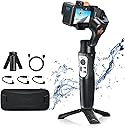
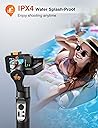
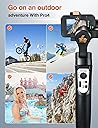
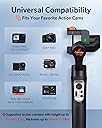
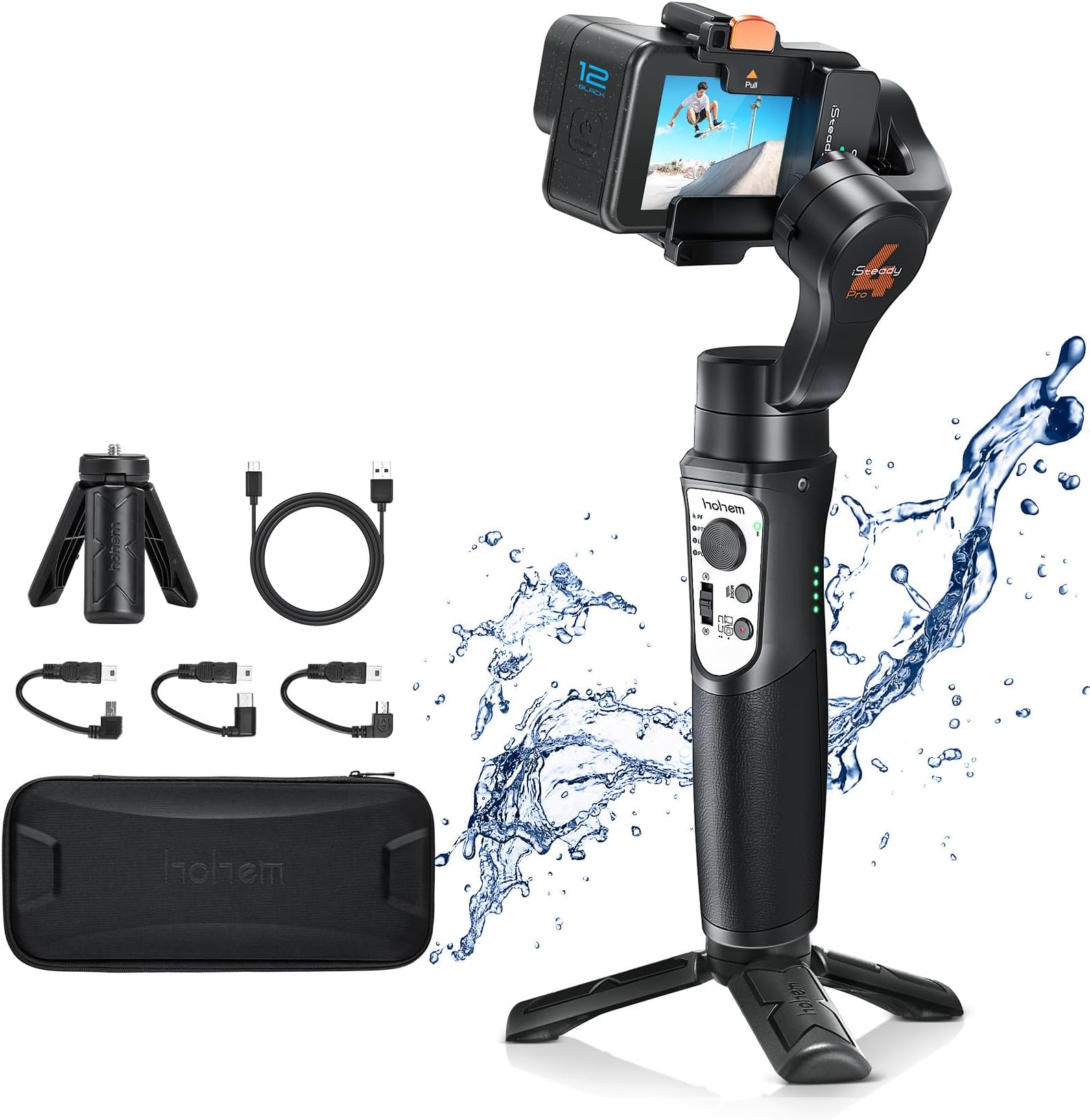
The Hohem iSteady Pro4 is a professional-grade 3-axis gimbal stabilizer designed for GoPro Hero 5 through 13 and other popular action cameras. Featuring advanced 5.0 iSteady technology, it delivers hyper-smooth footage in any dynamic scenario. Its IPX4 water resistance and 14-hour battery life ensure durability and extended shooting sessions. Bluetooth connectivity and a dedicated app provide remote control over multiple shooting modes, including time-lapse. With a quick release clip and broad compatibility, it’s the ultimate handheld stabilizer for millennial creators seeking flawless video performance on the go.


| ASIN | B07JC9KNHS |
| Audio Recording | No |
| Battery Average Life | 14 Hours |
| Best Sellers Rank | #215 in Video Camera Supports & Stabilizers #265 in Professional Video Stabilizers |
| Brand | hohem |
| Built-In Media | Gimbal Stabilizer, USB Cable |
| Color | Black Gimbal Stabilizer for Action Camera |
| Compatible Devices | GoPro Hero 12/11/10/9/8/7/6/5, OSMO Action, SJCAM, YI Cam |
| Customer Reviews | 4.3 out of 5 stars 2,553 Reviews |
| Exposure Control Type | Automatic |
| File Format | MP4 |
| Folded Size | portable iphone stabilizer easy hold |
| Global Trade Identification Number | 00709812559194 |
| Image stabilization | Yes |
| Item Dimensions D x W x H | 3.01"D x 3.23"W x 9.61"H |
| Item Weight | 0.77 Pounds |
| Manufacturer | Hohem |
| Manufacturer Part Number | iSteadyPro |
| Maximum Weight Recommendation | 0.5 Pounds |
| Media Type | Video |
| Model Name | hohem iSteady Pro4 |
| Model Number | Hohem iSteady Pro4 |
| Product Dimensions | 3.01"D x 3.23"W x 9.61"H |
| Screen Size | 3.6 Inches |
| UPC | 709812559750 709812559194 |
| Unit Count | 1.0 Count |
| Video Capture Format | MP4 |
| Video Capture Resolution | 5.3K |
| Viewfinder Type | LCD screen |
| Warranty Description | 12 MONTHS WARRANTY |
| Water Resistance Level | Water Resistant |
C**T
Handy addition for a GoPro - make sure it's mounted BEFORE powering up
I love the GoPro and there are a ton of mounts for a wide variety of purposes, but sometimes you simply want to hold the GoPro yourself as you follow your subject around. And even though a GoPro has image stabilization, it doesn't hurt to add a little bit "extra" stability for handheld shots. This 3-axis gimbal does the trick!! It was easy to attach the GoPro and fairly easy to use and learn the features, although they need to put a "warning" sticker on the unit when they package it not to turn on the power without the GoPro (or other weight) attached and balanced. It will shake like crazy if you do this and can damage the motors. This is common sense for a motorized gimbal, but... still, there are people that will unbox it and quickly power it up not realizing they can damage it. Recognizing this, I thought I'd include the warning in my review title for new gimbal buyers. There's really not much to say other than it's sturdy, well-built, easy-to-use, and pretty much does what it says. Some extra nice touches are a mounting point on the side for a smartphone holder, a mounting point at the bottom so you can attach it to something like a tripod, and remote software so that you can feasibly set this up for remote pans/tilts/etc as long as you're not demanding a lot of precision. Even better, the remote app can be used to set up timelapse motions. Battery life is great and you can even use it to charge your GoPro. My only real complain is that the way you mount the GoPro blocks access to either the power button OR the USB-C port, depending on which way you position the gimbal before mounting. I wish they would have made a cage to hold the GoPro that could be quickly attached or detached from the gimbal and/or made it so that both the power button and ports were exposed when mounted. It's kind of a pain to remove the GoPro again just to access one or the other. Overall, I'm quite please with the purchase for the price, and expect to be using it a lot.
S**O
You cannot beat this item for $100USD
I will first start off by saying, this is my first powered gimbal experience. I am a professional still photographer getting more into the world of motion photography (Cinema). I have the pro SLR's that shoot video, but for intuitiveness I purchased a GoPro Hero 7 Black. Really easy to use, great quality camera for $350. I know the GPH Blk 7 has HyperSmooth - which is great! But to keep my shots level with the horizon, I was looking for something that would help with that aspect. Enter the Hohem iSteady Pro 2 action camera stabilizer. Out of the box it is rather intuitive. There were actual instructions (quick start guide) in the package. An aside, the packaging was rather impressive for a $100 Amazon purchase. Very nice case and all of the equipment needed to go. The instructions walk you through step by step how to get going. First step is charging the battery - which you should give it a few hours to complete. Mine came with 4 bars of power on it, but it still took a couple hours to peak it out. Once I had it charged, I was off to the races! Learning the 4 modes for a gimbal beginner is interesting - but it is nice that this gimbal is organized by these 4 separate modes of operation. I found use for the first 3, but the fourth is more for artistic movements... Maybe? The panning of the gimbal with the thumb operated joystick is rather fluid. With the app, you can adjust how fluid it pans, and really customize the heck out of this item. I really like the timelapse movement feature in the app. This allows you to have the gimbal automatically pan a shot over a specified timeframe. Cannot wait to play with that feature more. Calibrating it is pretty easy with the app. It runs you through gymnastics of calibrating it on a table. Quick tip - you can fine tune this in the app - i.e. roll, pitch, or yaw. The app is recommended highly because it allows you to do so much. This is a great gimbal for someone wanting to create video with an action camera on a low budget. I imagine you can use this with one of the $50 action cameras as well as a $400 GoPro model. As a matter of fact, it might even be the way to go with a lower cost action camera that does not have HyperSmooth. Basically you are building a DJI OSMO equal for around $150. Another positive to mention is the ability to charge your camera through the gimbal. It does add weight to the rig, so you may have to make some small in-app tweaks to roll and tilt, but otherwise it is great! The negatives... Every product has them... The first negative is how this gimbal is positioned realtive to my on-button of my GoPro 7. The way the camera sits on the Gimbal puts the power button against one of the pivot points. That makes powering my GoPro more difficult. I have to use my GoPro app or I have to power down the Gimbal, then remove it from the mount to power down. That is a great segway into the next negative... The mount... It is somewhat awkward to push your camera in and out of a friction mounting system. It does hold onto the camera really well - but it is just so awkward mounting and dismounting my camera. I wish there was a 'quick release' or something available for attaching various camera models - even as an accessory. The only other thing I have to mention is that the gimbal has the ability to control the stop and start of certain cameras. it is a bluetooth item and I was hoping it would connect to my GoPro to act as a stop/start remote - but I cannot figure out how this would work. I will do some googling to see if someone has figured this out yet through the bluetooth of the camera and the gimbal. Not a deal killer, but it would be a nice add-on is WiFi to setup as a WiFi remote for the GoPro. All in all, this is a pretty nice accessory for my GoPro for a very approachable price point. I hope to get some use out of this item moving forward and maybe upgrade to a Gimbal for my pro DSLR cameras once I get the hang of this action gimbal! I would definitely recommend this - especially to those just starting out!
P**N
Good stabilizer for the price IF you don't mind using your camera without a case.
After owning this gimbal and using it for 4-5 hours of filming skiing out in Colorado over the past month, I am fairly satisfied. The build quality is okay but it feels a little on the cheaper side. The stabilization is fairly good, comes with a few different modes where you can lock axes etc. , and the stabilizer can also be used as a power bank - around 2000 mAh I believe? (don't quote me on that one). It takes a little bit of practice to get used to how the gimbal reacts when you pan the camera and change angles, but it works pretty well when you get the hang of it. The image stabilization is also solid. Compared to the low cost mechanical stabilizer I was using prior to buying this gimbal, this stabilizer produces infinitely better videos and costs only 89 dollars! For my complaints with the product: I own a GoPro Hero 4, so prior to getting this stabilizer I always used it with its protective plastic case. In order to attach it onto the Hohem stabilizer though, I need to take it out of its case. This is a problem for me because when I am skiing and filming with the stabilizer, I don't want my camera exposed to the elements. This limited me to only filming on warmer sunny days. This won't be a problem however if you're using a camera with a hard outer shell like the Hero 7 and some others. The bracket used to attach the camera is also pretty flimsy and poor quality. Overall very satisfied with the product other than the few caveats listed above.
T**N
Great gimbal
Advertising: The gimbal is exactly as advertised. It came with: - The gimbal itself - A hard shell case - 1 16" USB 2 (A) to USB 2 (Micro-B) cable for charging the gimbal (No Power brick included) - 1 4" USB 2 (Mini-B) to USB 2 (Micro-B) cable for earlier versions of GoPro for charging the gopro itself via the Gimbal battery - 1 4" USB 3 (C) to USB 2 (Micro-B) cable for later versions of GoPro (Hero 5 thru 7) for charging the gopro itself via the Gimbal battery - A small tripod that uses the standard 1/4-20 (1/4" diameter, 20 threads per inch) screw. (I tested it, and it works on my Canon DSLR.) Price: $99 - Price paid before taxes. Considering the cost of similar gimbals on Amazon, I found this to be a very good deal. Build Quality/Durability: The Gimbal itself feels very sturdy and well made. It has plastic, but they don't feel cheap and flimsy. The grip has some texture to it, but it's nothing special. It still feels like it might be a bit slippery if I were to get it wet. The buttons are simple, and feel pleasant to press. So far, nothing has fallen off, which is a plus. I do have concerns over the circular adjustment button, however. I've read reports of it falling out, so I will stay on high-alert for that. Performance: It works pretty well once you get used to it. There are 4 modes, each of which you change with a click of a button. 1-click seems to keep the GoPro always level with the horizon. You can turn left and right, and it will slowly follow you that way. 2-clicks and the GoPro will slowly follow your ups and downs and doesn't keep level with the horizon. So if you're doing some climbing or wanting to pan downward for whatever reason, it will sort of follow your movements that way. 3-clicks seems to lock the GoPro in place on a specific spot on the horizon. If you find something interesting and you're moving all around, it will (for the most part) keep locked onto that subject. 4-clicks is just bonkers. it moves all over, up, down, left, right, and even at an angle. I will probably never use that one. There is a trigger button on the back for your pointer finger. 1-click and it puts it into "sport" mode. I'm still not sure how this works yet. 2-clicks and it re-centers the GoPro which is a nice touch if you find yourself all discombobulated. You can follow subjects at a low angle with your arm pointing down which is a nice feature. I have, at times, caused it to freak out by rotating it in wierd quirky directions which seemed to confuse it, but this didn't happen that often, and I was purposely trying to mess it up. Battery-life so far has been excellent. I haven't used it too much, but it seems to last a long time (much longer than the GoPro's atrocious battery. So it should work well for short-medium excursions, especially considering it can chart the GoPro's battery while it's still mounted. Design/Features: As mentioned in Performance, there are 4 different follow modes, each which seem to work really well. It seems to be a little bit slow in the 2-click setting when it's panning up and down after I move my arm that way. Resetting it to center doesn't always work on the first try, for some reason. It's taking some getting used to. The case is shaped so that everything fits exactly in it's place, which is nice, but I would have preferred foam inserts that i can shove other accessories in with. Thankfully, they thought about shaping the case when the Gopro is still attached. This way I don't need to remove it every time that I use it. Overall: Given the prices of other gimbals, I'd say this is a very good deal. None of the downsides, so far anyway, are enough to warrant me dropping it any stars. It works really well and keeps all my footage very stable.
M**S
Upgraded to 5 Stars After Help from Tech Support
After getting more experience with this unit, I am much more impressed than at first, based upon the advantages of it compared to others, and as promised I have upgraded this from a 1 star to a 5 since their tech support provided a link to the Gimbal App, prior to it being available on Google Play, for Android 14 in the next few weeks. The trick is to access the provided link to the Gimbal App from your phone rather than the PC, which is entirely my bad, I usually try to be much better, but then I didn't say I was perfect, did I? This is an extremely good unit, especially for the price, with responsive controls, at a cost much less than some others that are comparable. One of my favorite things about it is that it is much easier to mount and unmount the camera, as compared to my other Gimbal, which was very awkward to mount the camera, and it had a faulty battery after just one year. Connecting the Gimbal to the camera via Bluetooth works quite well and is very responsive. The primary reason this got only a one star rating from me rather than a better rating is because the HoHem Gimbal phone App is required to do a firmware upgrade, and the app was not available for my version 14 of Android, but the link provided from the HoHem tech support fixed that. I was not totally in need of the gimbal phone app for accessing the gimbal, since I am able to access the camera with the GoPro Quick editor, which makes it much easier to change the camera settings, rather than change them when my GoPro 11 is mounted on the gimbal. The battery in the gimbal is great at a rating of 14 hours, lasts forever, and the Homen Gimbal app is really good as well. But as good as this item is, it's still highly recommended to get the insurance for replacement. The two major things that can go wrong with these gimbals are the motor and battery wearing out. I paid $14 for 3 year coverage, which seems well worth it.
J**D
Not reliable
I was excited when I first saw this gimbal as a gold box deal, I needed something to stabilize an action cam for some in-car recordings and this look pretty good. After it came it was charged and I read the simple documentation before giving it a try. Was fully aware of all the potential issues (don't use unloaded, to try to move the camera manually, etc) The first time I powered it up the head swung into position and then about a minute later it reverted to some other position and was unresponsive. The head position was simiar to the orientation of the picture. Trying a few more times I found this happened pretty often. Using this in my car I found that if it did this reset it would usually work on a second try. I wasn't comfortable with the possibly having a defective unit so I was going to replace it. Given it was a goldbox item they don't do replacments so I ordered a second one to try. Sadly the scond one had the same problem. I emailed hohem asking if this was "normal" or if there was any remedy. I did try to upgrade the firmware through the app, but found no upgrades exist. Hohem never responded. Today I had a different problem where the gimbal appears to just shut down after being started. The power indicator shows full charge so I don't know what's going on. Pretty frustrating. Sadly, I'm at the end of my 30 days have no choice but to return both items. Buyer beware if it doesn't work out of the box, don't waste any more time. It's not going to get better, but may get worse. Customer Service for me was non-existent, I'm not sure why others got responses unless CS had no answers and decided to not respond rather than say it's a problem they can't fix.
R**M
Not an exact fit with DJI, but perfect fit for the GoPro 13
I have the GoPro 13 and the DJI Osmo 5 action. I didn’t really get much out of the app but it did do well when paired with my GoPro. It is possible to mount the DJI Osmo with this…..BUT this did not fit well with the DJI Osmo, as the LED screen wasn’t an exact fit and thus was blocked from viewing the entire screen. Ended up selling this with the GoPro because I actually like the DJI Osmo better.
C**R
More than expected. Fills a need in my camera tool kit.
I purchased this out of need. I am growing my Youtube channel (24k subscribers and growing) as well as being a photography and videography business owner. I operate in uncertain conditions and smooth video is a absolute requirement for doing pro work. I found this and saw that it was even IPx64 splash proof on top of the fantastic price tag. It comes in a nice soft case that is fitted to the gimbal and comes with a couple different wiring connectors as well as the charger and a mini tripod which i use quite often. The gimbal is very satisfactory for the price point. light, comfortable and the directions were fairly easy to follow. There again i do have experience with gimbals and cameras so take it as it is. I was disapointed that it is not compatible with the Session cameras, however with a little jerry rigging it can be done. Although i do not recomend it. This on top of the hero 6 and newer versions built in stabilization features will give you ultra smooth footage. Will most likely be purchasing the wearable version at some point in the future. You do not need the app to operate the gimbal, however on my tablet the app was fairly poor. However on a friends smartphone it preformed as expected. I rarely use apps for my equipment anyway. Excellent for what i need it for and for what most other people will likely need one for as well. Edit. Had a chance to test it in the rain. It preformed flawlessly and no water got into the ports. I was nervous about using it but I had to test it out given its claims.
C**E
Excelente
Desde el primer mentó inicié con grabar en zonas difícil de acceder y caminar incluso con mucho polvo y funcionó muy muy bien lo recomiendo mucho
Trustpilot
1 month ago
1 month ago