Desertcart purchases this item on your behalf and handles shipping, customs, and support to Grenada.
๐ Compact Powerhouse: Elevate your workspace with triple 4K displays and Ryzen speed!
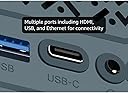
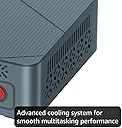
The BOSGAME Mini PC E2 is a sleek, compact desktop powered by an AMD Ryzen 5 3550H quad-core processor with integrated Radeon Vega 8 graphics. It comes with 16GB DDR4 RAM (expandable to 32GB) and a speedy 512GB PCIe NVMe SSD. Designed for multitasking, it supports triple 4K displays via dual HDMI 2.0 and USB-C ports, and offers versatile connectivity with dual-band Wi-Fi and Bluetooth 5.0. Compatible with Windows and Linux OS, it includes a VESA mount and a 1-year warranty, making it an ideal choice for professionals seeking a powerful yet space-saving PC solution.


| ASIN | B0DKJGC1S6 |
| Additional Features | Dual SO-DIMM DDR4 Channel Design, Plug and Play, Support RTC/ Auto Power On/ Wake On LAN, Support TPM 2.0 |
| Aspect Ratio | 16:9 |
| Best Sellers Rank | #2,224 in Computers & Accessories ( See Top 100 in Computers & Accessories ) #54 in Mini Computers |
| Brand | BOSGAME |
| Built-In Media | 1 x BOSGAME E2 Air Mini PC, 1 x HDMI Cable, 1 x Power Adapter _DC 19V/3.42A, AC 100~240V๏ผ50/60Hz) (5.5mm x 2.5mm), 1 x User Guide, 1x VESA Mount & Screws (Mounting Bracket) |
| CPU Model | Ryzen 5 |
| CPU Model Number | AMD Ryzen 5 3501U |
| CPU Model Speed Maximum | 3.7 GHz |
| CPU Speed | 2.1 GHz |
| Cache Memory Installed Size | 4 MB |
| Cache Size | 4 MB |
| Color | Cyan |
| Compatible Devices | Headphone, Printer, Smartphone, Speaker, Television |
| Connectivity Technology | Bluetooth, Ethernet, HDMI, USB, Wi-Fi |
| Cooling Method | Air |
| Customer Reviews | 4.1 out of 5 stars 292 Reviews |
| Display Resolution Maximum | 3840x2160 |
| Display Type | LED |
| Graphics Card Description | Integrated |
| Graphics Card Interface | Integrated |
| Graphics Coprocessor | Radeon Vega 8 Graphics |
| Graphics Description | Integrated |
| Graphics Ram Type | DDR4 SDRAM |
| Hard Disk Description | SSD |
| Hard Disk Interface | Solid State |
| Hardware Interface | Ethernet, HDMI, USB Type C |
| Human-Interface Input | Buttons |
| Item Weight | 0.9 kg |
| Keyboard Description | Mechanical |
| Keyboard Layout | QWERTY |
| Manufacturer | Shenzhen Weikesen Electronic Technology Co., Ltd. |
| Memory Clock Speed | 2400 MHz |
| Memory Slots Available | 2 |
| Memory Speed | 2400 MHz |
| Memory Storage Capacity | 32 GB |
| Model Name | E2 |
| Model Number | E2 |
| Model Year | 2026 |
| Native Resolution | 3840 x 2160 |
| Number of Component Outputs | 3 |
| Operating System | Win11 Pro, Support Windows/Ubuntu/Linux Update |
| Personal Computer Design Type | Mini PC |
| Power Plug Type | Type A - 2 pin (North American) |
| Processor Brand | AMD |
| Processor Count | 4 |
| Processor Series | Ryzen 5 |
| Processor Socket | FP5 |
| Processor Speed | 2.1 GHz |
| RAM Memory Installed | 16 GB |
| RAM Memory Technology | DDR4 |
| RAM Type | SODIMM |
| Ram Memory Maximum Size | 16 GB |
| Resolution | 3840 x 2160 |
| Security Features | TPM 2.0 |
| Speaker Type | 3.5mm Combo Jack ร1(CTIA specifications, support TRRS headphone) |
| Specific Uses For Product | Business |
| Specification Met | Yes |
| Style Name | Minimalist |
| Total Expansion Slots Quantity | 2 |
| Total Number of HDMI Ports | 2 |
| Total Usb Ports | 4 |
| UPC | 810161581337 |
| Unit Count | 1 Count |
| Video Output | Triple Display |
| Video Output Interface | HDMI, USB-C |
| Video Processor | AMD |
| Warranty Description | 1 Year Manufacturer |
| Wireless Compability | 802.11a/g/n/ac |
| Wireless Network Technology | Wi-Fi |
| Wireless Technology | Wi-Fi |
G**S
Astronomers - Works Wonderfully With 12V
I bought this to replace an aging (and venerable) NUC 7 to run my observatory which requires telescope control, dome rotation, basic/initial data stacking and plate solving. IYKYK. I required this to run on 12V. At least when I bought this, this was not specified to run on 12V on Amazon, though Bosgame's website indicates it runs on 12-20V. For my fellow astronomers out there, this is true. Background: I replaced the 512GB SSD with a 2TB SSD (Silicon Power 2TB NVMe M.2), upgraded to 32GB RAM (Timetec 32GB KIT(2x16GB) DDR4 2400MHz), and replaced the WiFi card with an Intel AX210. None of this was necessary, and this unit was still cheaper than any alternative I found with a processor at this performance level. The Wifi module upgrade was $26 and installed in 4 minutes. The RAM and SSD upgrades were easy for someone who can barely use a screwdriver and knows little about computers. Note: there is only one slot for the SSD. Opening this up showed decent quality control and an easy layout to work with. Power consumption: A stress test with N.I.N.A image capture, PHD2 guiding, Cartes du Ciel, Gemini mount control, ASCOM Hub (for dome control), and, just to make it interesting, SIRIL (astronomy image processing program) stacking 450 subexposures peaked at 37 watts before settling down to 25-26 watts with BIOS settings unchanged from factory settings ("Balanced performance"). Under "normal" conditions, meaning capturing images; controling the dome and mount and cameras; and PHD2 guiding running, this hummed along between 15-21 watts, so less than 2 amps. This is slightly less than my NUC7 with an i5-7260U processor, but this AMD 3550H processor has twice as many cores and threads. The speed improvement over my old processor was significant and immediately noticeable. This will also run laps around Intel N100-N300 processors while allowing for dual-channel RAM. WiFi - Astronomers will know why I automatically upgraded the WiFi module before even turning the computer on. For most users, the standard WiFi module will be more than good enough, but I'm running this 65 feet from my house. The computer is inside a fiberglass observatory. With the upgraded module, download speeds were around 240-260 Mbps in perfect conditions in the observatory with the computer away from the metal telescope pier and without an USB Wifi antenna. With the computer attached to a steel pier, the signal dropped (very expectedly) down to a respectable 35-70 Mbps download (enough for Windows Remote Desktop). As planned, I use this with a relatively cheap TP-Link USB wifi antenna away from the telescope pier. Wifi speeds in this configuration range between 150 to 220 Mbps download. The connection is quite stable and still plenty fast over Windows Remote Desktop. For comparison, inside my house, download speeds were over 600 Mbps, so the physics of walls and distance still apply. In my use so far, I have not had any latency issues controlling this from inside my home (with the computer outside in the observatory) using Windows Remote Desktop in a suburban neighborhood with quite a number of Wifi networks visibile (houses are close together). The connection does not drop. I ran a CrystalDiskMark Read/Write Test with the somewhat generic SSD I bought to replace this was a respectable ~2800MB/s write and a RNK4K speed of ~280MB/s. It is no speed demon, but this was both better than I expected and more than good enough for astronomy. In indoor and outdoor testing, I've only ever heard the fan turn on at initial startup. Even while "stress testing," I never heard the fan turn on during normal use. This thing was cool to the touch indoors and outdoors. I did check temps via HWmonitor a couple of times and never saw temperatures approach 50C. Heavy gamers might have a different experience here. It should be noted that astronomy programs intended to run telescopes and observatories do not tax processors and memory like modern games do, so gamers' mileage may vary. However, image stacking and processing programs can tax processors and memory a little and the fan never turned on and power consumption remained below 40 watts in my limited use. Cons: 1. The plastic quality is somewhat to be desired. I'm nitpicking hard here as that same plastic allows for more effective WiFi range than my NUC had, which was a metal Faraday cage of otherwise beautiful build quality. I'd rate the build quality as good enough, particularly at this price. 2. No SATA expansion slot: Hence the reason why I got a 2TB SSD. I knew this going in, and now you do. I will not take a star off of my rating for this because they do not advertise this as having the capability to add a second SSD/SATA drive. 3. This is advertised as only being able to use 2400Mhz DDR4 memory, but the module inside the unit was 2666Mhz DDR4. I don't know whether this was faster memory operating at 2400Mhz or whether the motherboard/processor can handle faster memory, but I had bought new memory sticks for this computer before I knew I could potentially squeeze out a little more speed with 2666Mhz DDR4. It is difficult to call this a con because I don't know the actual limitations of the computer. For most users, this underpromise and overdelivery might be a good thing. If expecting to upgrade from 16GB RAM immediately, check with BOSGAME first to ensure it can only operate with 2400Mhz. Overall, in the two weeks I've had this, I've been happy with its performance for astronomy. It has significantly better performance than an ASIAir and uses marginally more power than otherwise lower-performing N97, N100-N305 Intel processors. 1-1.5A under normal loads is extremely reasonable either in the field or in an observatory. This thing is a steal thus far.
D**N
Great Mini PC and would recommend to anyone that wants a small capable machine
System is pretty decent for the purpose purchased - looking for a small mini-PC that takes up very little space, inexpensive, and allows retro gaming w/ RetroArch/Duckstation via running a Linux. I installed Bazzite OS on it in a decent amount of time (20 minutes), and all the hardware works as is - network, graphics, usb, etc. No issues. The Vega 8 graphics card is decent for what is needed here - not going to run AAA games on it via Steam, but can run a lot on lower settings. It came w/ Windows 11 24H2, but I don't need that and opted to put the Bazzite on it. Pros: Runs Linux w/o issue (Bazzite anyway) Has 16 Gigs of RAM - plenty for retro gaming and for most things 512 Gig SSD allows storing lots of retro games, and a few Steam games Easy to open the computer (4 screws) and can upgrade memory and/or SSD Came with cable to add a 2.5" SATA drive if desired Came with VESA mount if you want to mount to back of monitor/TV Drives a 1920x1080 display easily via HDMI (has 2 ports, but not sure if I'd drive 2 with it) Cons: Plastic case and is very light - doesn't feel as quality as my others from Geekom or GMKTec RAM was a single stick in single channel (16 Gig) but other slot is empty so could upgrade - this just means that the system won't be the fastest; I would have preferred 2 8GB sticks for dual channel Recommendations: If you get this, I'd recommend changing RAM out for 2 8GB sticks or adding an additional 16GB stick if you need it - and maybe changing the NVME SSD out for a 1 or 2 TB version if you are going to install a lot. Alternatively, spend $200-$300 more and get one that comes with 32 GB RAM and a 1+TB SSD Ultimately it depends on your needs... if you want a machine to do basic apps like Office, browse the internet, etc, or play Retro games, this will work as it is.
R**N
Small, Slow, and Stagnant!!
Its small, its compact, its also SLOW!! Im running adobe premier on this computer only and its lagging bad! Really hard to even use this. I know adobe uses a bit of RAM, but I figured this was more than enough to handle this. Its not!!! Very annoyed! ****update! The system has died ali g with my work! Screw this company and there horrible products!
R**B
Peak machine
For this price, this is a beast machine and almost 100% worth it. Perfect size, 1tb storage is pretty nice, and the perfomance is amazing for this tiny thing. Borderlands 3 goes pretty fluid on endgame with high quality graphics, and Genshin Impact too and still looks amazing. I thought the fan and ventilation could be a problem, but for now works excellent and remains in good temperature
S**I
great budget computer, good retro gaming experience
Great piece of hardware. I haven't run any games yet, but for general web surfing and checking e-mails, this thing is pretty fast for what I expected to do. Boot up time is pretty fast, and I got it on discount for $300, which is a great deal for my low expectations. Exceeds expectations. Lots of hard drive space for the price. I couldn't find any other models with a similar harddrive space at this price point, so that is a plus. I tried installing steam on it to turn it into a budget steam machine, and it worked. I tried a few demos from recent releases however, and came out with mixed results. Ascend to zero demo didn't really work out right with a lot of frame lag. Imperial ambitions on the other hand worked quite well since it didn't have many moving animations. I booted up doom 64 from my library, and that worked fine. I also tried low magic age from my library, and that worked pretty well. So gaming wize, the machine can handle up to an n64, but will probably struggle with more recent games with 3d. For a device that was not designed for gaming though, I think it's still great as a budget retro machine. Boot up is very fast, and it barely takes up space in my apartment. Great piece of hardware if you're on a budget.
D**R
A bizarrely powerful, capable, workstation PC/NUC
Dev: Excellent for GameDev. Runs Unity 3D scenes well enough to make games, but I wouldn't build the final executable with this. I would offload that to Unity services etc. It runs Godot / Redot nicely in a scene with lots of objects. Handles Rider nicely. Vivaldi and Discord on a second screen while sharing desktop, all worked nicely. 3D Modeling I was able to cook up to 1 million poly (tris) in Blender and yes, it WILL run Cycles, but denoising will be slow, and cycles iterations will be slow. So, great for modeling, sculpting etc, not great for rendering. Maybe see if it supports an eGPU? Theoretically it does with the USB 4.0 / USB-C support. Gaming It runs 2 screens 4K@60hz nicely, but you'll get a lot more bang for your buck gaming if you're at 1080p. I was able to run Fortnite with 1080p @ 60hz solid with 60% 3D resolution and everything on low. Satisfactory with low-med settings ran nicely. Don't expect to be frying people on Fortnite and your Satisfactory builds shouldn't be super congested in one area. Break it up on the map for better perf. Other games like Frostpunk or IDUN will run, but you might encounter jumps/stuttering in some scenes / UI. Pros: -> It's amazingly quiet for how powerful it is. -> The ports, size, and overall capabilities are better than expected. -> It's a solid media center, workstation, technical bench, surveillance station etc. -> Throws some heat, but nothing crazy. -> Preloaded with Windows -> Boots fast, like bizarre fast. -> Impressive wifi speeds, seriously. This thing bucks. I have an ASUS ROG Ally X (2TB) and this NUC's wifi outpaces it. -> Comes with a convenient bracket for wall/desk/monitor mounting. You can stash this thing out of sight or just put it somewhere out of the way at your workstation. -> It's a solid piece. Does not feel cheap to handle, and care was taken with presentation and assembly. -> Comes with a 4K capable HDMI cable. Cons: <- It's not as capable for gaming as I'd like, but that may be a non-concern with an eGPU setup. <- I wish the specs were more clear, does it support more than 1 M.2/NVME? Does it have additional space for RAM modules? I'll have to open it up and see I suppose. <- It comes with the bloatware version of0 windows (may disregard your selections for prompts like skydrive etc). <- Bulky power supply and prongs can't be pivoted so you'll either need a short extension cable to make it fit on a congested surge protector. Honestly though, the cons seem trivial. This is a solid unit for anyone who needs a relatively inexpensive but oddly capable workstation, which is exactly what we needed. Cons aside, this unit deserves 5 stars.
P**Z
BOSGAME E2 Mini PC Ryzen 5 3550H: Impressive retro emulation station
I have a powerful desktop PC with retroarch that I use to stream more demanding emulation into the TV of my living room for some couch play sessions, but it can be a pain to get it to function correctly all of the time. I'll admit I bought this PC with very low expectations, thinking I may not be able to even properly emulate anything beyond the 4th gen (SNES, Genesis, etc); what I planned for was to leverage vulkan to see how much more I could squeeze out of this device, and I am pleasantly surprised: with the exception of N64 (a notoriously difficult, hardware heavy platform to emulate), I can pull off everything up to the 6th gen (PS2, Gamecube and, more importantly for me, Dreamcast; haven't tested OG Xbox emulation since it's not part of Lakka/Retroarch yet). And honestly, that's where my testing stopped: I am not interested on emulating 7th gen and beyond, so maybe this mini pc can handle even more than what I tried. That said, the Ryzen 5 5500H is still a mobile chip and won't perform any miracles, so for very graphically intensive gaming, pairing it up with a GPU running externally may be the best bet. My overachieving goal for this experiment was to get Saturn emulation working with Virtua Fighter Remix not running at 2 fps; not only did this mini pc managed it, but exceeded it by giving me decent Dreamcast, GameCube and PS2 emulation as well. The only point of contention is that you need to fiddle around in the BIOS to get the iGPU to use vulkan properly and you're unlikely to get as much performance as I did if you run Windows on it. In my case, I used Lakka (lightweight Linux based os for making your own retro consoles) and it was compatible with everything: Bluetooth, Wifi, etc. So keep in mind that some knowledge of Linux and system administration is required (SSH, Samba and general Linux terminal usage). Overall, I'm very satisfied with this purchase and was surprised at the capability of this device for retro emulation. UPDATE 08/04/25: I managed to get N64 emulation working by disabling threaded sync in the retroarch settings, which was messing with it and even other emulators. That said, I couldn't get Mupen64Plus-Next running, only Parallel-N64; that's good enough for me, however. As a bonus, I also tested Wii emulation with Dolphin and seems to work great too, although I did have some black screen flashes that I managed to get rid of by disabling shader compilation before games start and using Async Ubershaders. So all in all, even more impressed with this item after some time; just keep in mind you will have to fiddle around the BIOS settings to enable vulkan/have the igpu working properly and likely need to swap operating systems to squeeze more performance out.
R**G
Not bad for the price
For mundane tasks it is ok but it's not a gamer. It is pretty much as advertised though and I am not complaining as there was no deception I bought it on a lark that it might be more than advertised. If all you need is a compact device to do spreadsheets or monitor your email or social media it should serve you just fine.
Y**B
Wow !
Good video , good sound, love wi fi 6 internet , opens fast ! No waiting. Silent fan, fastest computer i have owned fo far. Power button and headphone output in front , very practical .Recommended.
J**C
Bought instead of a laptop with larger portable screen and I love it.
Needed to replace my notebook as I got yet another flakey Intel Core processor. I didn't really need portable so decided to go with this. Haven't had an AMD processor before and so far I'm loving it, no random weird issues and it has been rock solid stable and so much faster than I was expecting. My monitor can power this and connect video with a single usb-c all with a single cable. I decided to go this route as I needed a bigger screen rather than portability. Notebooks tend to only stick larger screens on their highest end system which I couldn't justify the price. I didn't plan on this being portable but this thing is so small and only uses 35w when I push it hard. I decided to get a portable 4K 18.5" 16:10 screen 500nits, which will fit in my 15.6" laptop bag along with this PC and a small battery pack so I'm portable enough to fit my needs. Keep in mind I'm not gaming, but mostly writing or occasional 3d graphic rendering. Nice thing is if any one component dies, the entire thing is not a write-off. The portable screen and this unit were bought on a flash sale for less than 800CAD. I've had two lesser powered Lenovo notebook write-offs in 3 years each costing around $1600.
P**C
A great upgrade from 14 year desktop nice and small and fast.
Good replacement for 14 yrs old desktop computer The mini computer is easy to setup windows 11 I was actually surprise how fast it is. I basically use it as steaming for videos it works great. Great for watching video off Pluto tv. Only disadvantage limited usb ports .
G**P
Stop researching and buy this one.
I researched many mini PC's. I just surf the internet and do some minor games. This PC is more than they advertise. It is fast, accurate and does whatever I ask it to do. I would highly recomend this mini PC to anyone that that is looking for a compact crazy fast computer. Comes with Windows 11 pro, an 1T SSD storage, 32 ram and a AMD 9 chip. It will be all you need in a everyday PC. 5 stars!!!
G**G
P!SS Poor Warranty Service! I do NOT recommend the Bosgame Manufacture!
I purchased this Mini computer on October 8th. it won't Boot up now. I emailed the manufacture and explained my problem, made a Video of exactly what the Problem with the Mini computer is, they told me to go back to Amazon and contact the Seller. I went to Amazon and there is NO way to get a hold of the Seller! I called Amazon for Help, they provided me with a Link to the Seller but the Link does NOT lead to the Seller! Amazon told me the Seller is the Manufacture. I emailed Bosgame again, explained what exactly happened with Amazon and I have NOT recieved a response! I will Update this Review if anything changes.
Trustpilot
1 day ago
2 weeks ago