Buy anything from 5,000+ international stores. One checkout price. No surprise fees. Join 2M+ shoppers on Desertcart.
Desertcart purchases this item on your behalf and handles shipping, customs, and support to Grenada.
🎯 Elevate your creative edge with ASUS ProArt 5K — where precision meets productivity.
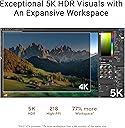
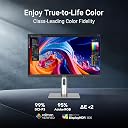
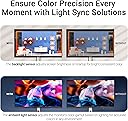
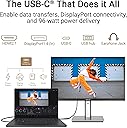
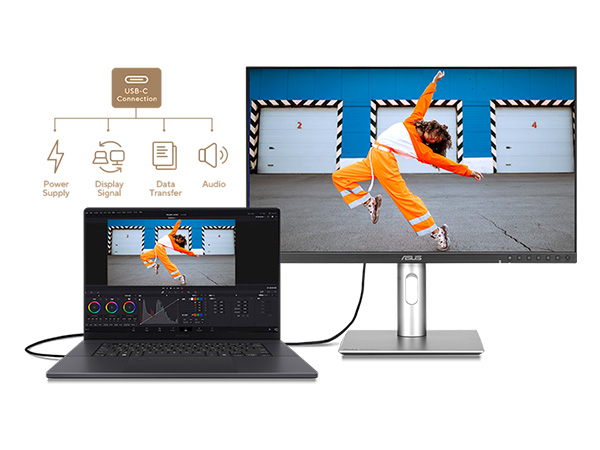
The ASUS ProArt Display PA27JCV is a 27-inch professional-grade 5K HDR monitor featuring a 5120 x 2880 IPS panel with 99% DCI-P3 and 100% sRGB color accuracy. Factory calibrated to Delta E < 2 and Calman Verified, it delivers exceptional color fidelity for content creators. Equipped with Auto KVM for multi-device control, adaptive brightness sensors, and USB-C with 96W power delivery, it’s designed to enhance productivity and reduce eye strain. Backed by a 3-year warranty, it’s a premium choice for professionals seeking flawless visuals and streamlined workflows.


| ASIN | B0D6C6F2L8 |
| Adaptive Sync | FreeSync |
| Additional Features | 100% sRGB, Blue Light Filter, Eye Care, Flicker-Free, Professional Monitor |
| Aspect Ratio | 1.78:1 |
| Best Sellers Rank | #1,533 in Electronics ( See Top 100 in Electronics ) #59 in Computer Monitors |
| Brand | ASUS |
| Brightness | 400 cd/m² |
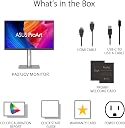
| Built-In Media | Color pre-calibration report, HDMI Cable, PA27JCV Monitor, Power cord, USB-C Cable |
| Color | BLACK |
| Color Gamut | 100.0 |
| Compatible Devices | Desktop, Gaming Console, Laptop, Tablet |
| Connectivity Technology | DisplayPort, HDMI, USB-C |
| Contrast Ratio | 3000:1 |
| Customer Reviews | 3.6 out of 5 stars 122 Reviews |
| Display Resolution Maximum | 5120 x 2880 Pixels |
| Display Technology | LCD |
| Display Type | LED |
| Hardware Connectivity | DisplayPort, HDMI, USB 3.2 Gen 2 |
| Has Color Screen | Yes |
| Image Contrast Ratio | 3000:1 |
| Item Dimensions D x W x H | 27"D x 7"W x 15"H |
| Item Weight | 13 Pounds |
| Manufacturer | ASUS |
| Model Name | PA27JCV |
| Model Number | PA27JCV |
| Mounting Type | Desk Mount |
| Native Resolution | 5120x2880 |
| Number of Component Outputs | 3 |
| Picture Quality Enhancement Technology | LuxPixel Technology |
| Pixel Pitch | 0.116 |
| Processor Count | 1 |
| Refresh Rate | 60 Hz |
| Resolution | 5K HDR |
| Response Time | 5 Milliseconds |
| Screen Finish | Matte |
| Screen Size | 27 Inches |
| Screen Surface Description | Matte |
| Series Number | 27 |
| Shape | Rectangular |
| Specific Uses For Product | Business, Gaming, Photo Video Editing |
| Total Number of HDMI Ports | 1 |
| Total USB 3.0 Ports | 4 |
| Total Usb Ports | 5 |
| UPC | 197105628984 |
| Viewing Angle | 178 Degrees |
| Warranty Description | 3 years |
| Warranty Type | 3 Years Manufacturer Warranty |
D**D
Fantastic for me, for others, there may be dealbreakers.
(Review for 5K PA27JCV) - 4.5+ stars, simply because this is the only monitor that checks all my boxes for my use case, and most importantly, doesn't kill my eyeballs. I first purchased a 4k Dell U2725QE to use with my desktop PC + Macbook combo. RTINGS named it the best office monitor, and my primary use is writing/text with a secondary of photo editing. That monitor was beautiful, with no backlight bleed, good contrast compared to their next option of the 4K ProArt, 120hz, and a KVM with a multitude of port options. But the problem was that it immediately caused eye strain. Dizziness, bad headaches, just overall discomfort. I tried every option I could think of, and nothing seemed to help. The strain seemed worse while using my Mac, and research revealed that MacOS does not scale properly in 4k, resulting in some softness to the image. 2k or 5k were the only viable options for getting crisp pixels with Mac, which is where I do 99% of my work. After a week of debating, I decided to try the PA27JCV. Right from the start, it was clear that this monitor did not have the issues of the previous. Text and edges are perfect in MacOS, and I felt no eye strain. I'm not sure if this was entirely due to the perfect pixel scaling of 5K, or if it involved other aspects of Dell's IPS panel that didn't agree with my eyes. Either way, for something about the same price, the 5K monitor feels superior, even with the sacrifice of Dell's other features. It's not all roses, though. The Asus has significant blacklight bleed, especially along the top edges. You will see it immediately when the monitor turns on, but it's only really visible on black/dark backgrounds. If you're looking for "the best" experience watching movies, this monitor isn't it. There's also some vignetting on the sides, though this may be from imperfections with the viewing angle and the monitor's size -- when looking at the sides straight on, the vignetting lessens. These were the most significant drawbacks I noticed compared to the Dell. The monitor is incredibly bright (It comes default at 50, and I set mine to 20 for daytime lighting). The colors seem true and accurate as advertised, a noticeable improvement over Dell's color. The build quality is not as "cheap" as some people make it out to be. I actually prefer the darker, more "space grey" aesthetic over Dell's lighter silver. I don't mind the chin, I just wish the front USB ports were more easily accessible, like Dell's pop-down hub. The port options are not as robust as Dell's, with just USB-C rather than Thunderbolt, but for me, it's fine. I don't intend to hook up SSDs or anything that requires high speeds. The LuxPixel matte coating feels premium, and any "rainbowing" is not an issue for me. I'm used to matte monitors and "paper-like" coatings, though I think it would've been nice to have the option to buy a glossy version. Is this monitor as good as the Studio Display? Knowing Apple's level of quality, definitely not... But it's also less than half the price, and it works effortlessly with a PC, which is something I need. For some people, the "issues" with this monitor may be dealbreakers, but for someone like me, it's perfectly adequate.
A**R
Beautiful specs on paper — but terrible for Mac users
I really wanted to like this monitor. On paper, the specs look perfect — 5K resolution, wide color gamut, “MacBook-friendly” marketing, and a professional design aesthetic. In reality, it’s been one of the most disappointing purchases I’ve made. 1. Poor macOS compatibility If you’re a Mac user, be warned: this display does not support true HiDPI scaling in macOS. That means text and icons look fuzzy and slightly blurry compared to Apple’s own Studio Display or even a cheaper 4K Samsung monitor. macOS can’t show the usual “Larger Text ↔ More Space” scaling slider, so you’re forced into awkward resolutions that either make text too small or unsharp. For a product advertised as “Mac-optimized,” this is unacceptable. 2. Over-saturated colors out of the box Even in the so-called sRGB or DCI-P3 modes, the colors look over-boosted and unnatural. Without hardware calibration gear, it’s almost impossible to match the look of a MacBook display. This completely defeats the purpose of a “creator-class” monitor. 3. Eye strain and lack of ambient adjustment Brightness can’t adapt automatically to room light, and the backlight feels harsh. Within a few hours I was getting eye strain — something I’ve never experienced with Apple’s own displays. 4. Misleading “for creatives” marketing ASUS markets this ProArt line as professional, color-accurate, and “Mac compatible.” But in practice, these panels don’t integrate well with macOS’s scaling or color management pipeline. A $200 consumer Samsung display looked better and felt more comfortable to use. If you’re on macOS, save yourself the frustration and buy an Apple Studio Display (even refurbished). It just works — no hacks, no fuzzy text, no guessing which resolution looks least bad.
C**Y
Matches up well with Apple Studio Display
I have an Apple Studio Display and was using a BenQ PD2705U 4k display with my work and home computer setups. The BenQ worked fine and looked decent but it just wasn't bright enough in my office on sunny days. I was considering a 2nd Studio display but needed a KVM that would allow me to switch between my work MacBook Air and my personal M2 Pro Mac Mini. This works perfectly. Single cable connection to the laptop for charging and display and 2 cables to the mac mini. I have the MacBook air connected via the USB C input to provide power delivery as well as the video feed. I have the Mac Mini connected directly via the HDMI 2.1 output on the Mac Mini, and USB devices are shared via connecting a USB-C from an OWC Thunderbolt 3 hub. This setup appears stable and works well. I do not share my Studio Display with the MacBook air so the Asus is just a shared monitor between these 2 devices that I switch back and forth as needed. The monitor shares almost identical panel height with a Studio Monitor so if you have the 2 setting side by side one doesn't look significantly larger than the other. This is much brighter than my old BenQ monitor and the default display profile is very very very close to the Studio Display's default profile as well. If you pixel peep you can see subtle differences in color but for the most part the 2 displays look identical without a lot of tweaking of settings. The color calibration certificate for mine shows a delta for DCI-P3 or .53. For sRGB it's .65. I saw some reviewers that mentioned light bleed from the backlight. I tested this and if you're really looking, in a dark room, there's a little around the edges of my unit but it's so minimal I think it's a non issue. The connections are relatively sparse compared to the BenQ but there are enough so that I can connect the Logitech Bolt receiver in the USB A under the chin of the monitor and share a mouse and keyboard between the 2 computers wirelessly. The cable management is adequate. It accomplishes the task but you do see the cables when you set the monitor to match the height of the Apple Studio Display. Some reviews I read mentioned that the stock stand is a bit wobbly, that hasn't been my experience. It levels and adjusts relatively easily and isn't particularly wobbly although I do have a very stable 4 legged sit/stand setup so perhaps that contributes to the stability. The buttons in the chin work fine. They aren't as convenient as the puck that BenQ uses but once I had the monitor setup I am usually only using the shortcut to switch inputs. The KVM switches reliably although it does take a few seconds longer than the BenQ. It takes about 6-8 seconds. One quirk I found is that I have to switch my logitech keyboard and mouse to connect to my laptop via bluetooth and provide some input to the laptop if the laptop is closed. If I don't, the KVM's auto sensing doesn't detect the signal and just switches back over to the active input. Other than that one quirk everything works as expected. This is an excellent monitor at an amazing price for what you're getting. It has outstanding video quality and color accuracy. It's 5k so it scales with a mac perfectly. The build quality isn't as good as the Studio Display but it's on par with most other monitors. I am super impressed by this monitor and very happy with my purchase.
"**"
A nice balanced trade-off, feeling like both a "budget" and a "premium" monitor at the same time.
It does semi-randomly turn off a little while after starting up - that really does happen - but it is also half to a third of the cost of an Apple Studio monitor. After turning off the adaptive brightness and lowering the brightness setting to minimum, I have not had to touch any other setting (so very easy to use) - all of the rest are perfect, and the ports are trivially easy to connect. Clear, sharp, crisp text, great colors, I am (mostly) happy with this purchase.
B**R
Ok resolution but scaling still an issue with my Mac mini
I got a good quality defect free monitor but it does not work (text scaling) perfectly with my Mac mini. Much cheaper than the Apple Studio Display so I’m ok with it. The built in KVM switch does not work well for me (I’ve connected a Win 11 laptop and Mac mini M4)
R**T
I'm mostly pleased, but there are many nits. Overall it's a good product *for the price*.
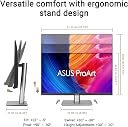
It was recently time to retire my iMac, and I decided I wanted a really good monitor so I could later replace my new M4 Mini (and keep this monitor) several times in the same time as I held onto that iMac. I was a professional programmer; the ability to stare at text comfortably for many hours is deeply important to me, and I understand the technical root of Apple's intransigence on insisting that the world ends at 27" and 5K, so that's where I landed. I could not, however, land on their price point, so I spent months agonizing on the decision tree that led me here. There were, however, several features that I would not compromise upon and did not have to with this model. I understand Apple's insistence that the pixels that comprise the screen have an integral multiple of the pixels on the LCD screen. It seems odd that we talk about 4K monitors looking BAD on Macs, but they simply do. Once cutting through the noise, there are really only four makers of 5K, 27" monitors. Two of them have substantial issues and are consistently shredded in reviews. One has only one excuse; it's double the price of this one. That's how I ended up anxiously awaiting the delivery of one of the very first PA27JCV's in the world. The picture is very good. This pretty much sets the tone for a phrase that can appear many times in a review of this product—you have to consciously add "for the price" to most sentences about this product once you have experience with a unit that costs twice as much. There is a notable dimming if you view the monitor from the side, and that's simply not present in the higher-end model. "But I don't use it from the side!" is a perfectly legitimate retort, but in an office environment, if you have a cubemate that may be with you in a code review or walk-through of a shared project, the other person may be unable to see the same bright, clear display that you do. From the side, it's a dim, blotchy picture, but from a normal viewing angle, the colors are vibrant, text is crisp, and some motion blur is present but not noticeably objectionable ("for the price") . I had two demands for the cabling system that led me to choose this product. One is common in desktop monitors in this bracket. One is not. The ability to attach your laptop (or other) via ONE cable that both charges the laptop and delivers a full video, audio, and USB (and thus multi-Gbps) networking is heavenly for someone docking their laptop on the big screen for the day. One of the two USB-C ports on the bottom of this will do that. It is poorly marked (like ALL ports on this unit), but it delivers. This monitor charges the attached laptop fine. The other feature I demanded from the video input array is more rare. I wanted a KVM-like facility where I can deliver the primary screen AND a secondary input split (side-by-side). In addition to sometimes using the aforementioned Macbook, I also often work with small single-board computers. (Usually not literally a Pi, but that class of device.) These machines are small enough that I can't devote a keyboard, mouse, and monitor to each one of them. The PA27JCV is a rare monitor that allows splitting the screen in this way so that one "head" can be attached to multiple computers and switched between them. The screen resolution is high enough, and the screen is large enough that splitting it either horizontally or vertically is practical. This actually works OK. It's awfully clumsy to switch between them though as it involves fumbling with the bottom buttons that are poorly marked. This is actually the only 5K monitor that I could find with this feature - at any price. This may not be a distinguishing feature for many people, but it's useful to me. It's not particularly rich in video input ports. There is one HDMI and one Thunderbolt 3/4 (?) connection. The sound on this is absolutely embarrassing. This goes beyond "the sound is good...for the price." It's not. The sound is simply bad. Any gain in desktop space you hoped to gain via desk integration will be lost when you cover the ugly base with the desktop speakers you'll have to buy and put over the plastic base. Similarly, other units in this price range include a webcam and mic; this doesn't. If videoconferencing is part of your life, add those costs to the speakers when thinking about the real price of this monitor. It is an IPS panel, not an OLED. There are dimming zones meant to try to make darks more black, but you're always aware that contrast just isn't great. This is somewhat noticeable when watching video content, but since 'dark mode' is all the rage for programming editors, browsers, and tools these days, you're just always aware that blacks aren't the amazing HDR blacks that you might expect in other (smaller) devices. Physically and mechanically, the unit is just a contrast of clever and dumb. The monitor height lifts and lowers without much effort. The monitor rotates between portrait and landscape, but even at the highest position, the bottom right corner of the monitor hits your desk if you try to rotate it. You have to remember to rock it backward before rotating it. That's just goofy. Cable management isn't excessively ambitious, and the monitor's base looks metal but has a plasticky, cheap feeling that feels more like a 3D-printed box than a stand holding up a monitor that is the price of a nice car payment. Below the screen, there are six pushbuttons and one "d-pad" button that offers left, right, up, down, and inward push. Even a gentle push to select the buttons ends up scooting the monitor as the base is too light and doesn't grip the desk. They try to make the buttons blend in, but that also means that they're completely unrecognizable until one of them is pushed for the labels to appear. This also means that in practice, the six pushbuttons are rarely more than shortcuts to features that you'd have normally accessed in the menu with the dpad anyway. To pair with that, it doesn't support Apple's well-known keyboard keys for volume and brightness. You have to fumble with the on-screen buttons to adjust that. When exiting power save mode, the device takes annoyingly long to awaken. Perhaps all the internal computing has shut down and it has to fully cold boot. Adjust your screen lock to activate quickly, but use a long power saver timer value to be conservative to reduce this delay. It does come with an HDMI and USB cable. In all, I've now spent a month with this monitor. I do really like the clarity and color of the display, and that is the primary goal. Mine is a single-person workspace, so side viewing angles don't matter to me. I went back to the speaker inside my Mini because the sound was better. (Yes, the sound of an encoded 5" square plastic box with no visible holes was better. Really.) I like being able to attach my Macbook Pro for USB device use, viewing, and charging, all with a single cable. I looked hard at the specs or demo units of every 5K, 27" product in the market. Even with the annoyances I've listed—sound, mechanical, cheap base, limited ports, absence of modern Thunderbolt, absence of cam & mic like others at this price point—I'd probably again land on this monitor with the options available in the U.S. in December of 2024 because it's good at displaying video, and that's the primary goal of a monitor.
B**H
Sharp text, vibrant colors, impressive anti-glare
Update: Radeon 25.3.1 drivers fixed the problem with my PC not being detected correctly. Also, pixel density is high enough that I've started reading Kindle books on my PC more than my Kindle Scribe and iPad. Very happy with this monitor. I've been wanting to step up from my several years old 4K monitors and claims of an improved antiglare coating pushed me over the edge. This monitor exceeded my expectations. Tiny text is noticeably improved, glare is nearly gone, blacks are blacker and colors are more vibrant. I hooked up the DisplayPort to my PC, HDMI to my Roku Ultra and USB-C to my 2018 Mac Mini. All work well... with the exception of the PC not being detected correctly half the time when it comes out of sleep mode so I have to switch inputs and back again. Radeon 7900 on the PC. I bought a second monitor for my work laptop, bog standard business laptop with 12th gen i5, and a couple of times the screen has been distorted after waking up. Hopefully there will be a firmware update to address this. The monitor looks so good that I'm willing to put up with those quirks. The user interface is easy to navigate. Per other reviews I set DCI-P3 and disabled Dynamic Dimming. I also disabled the power indicator (thank you ASUS!) and cut the brightness to 25%. I haven't played with the KVM yet. I bought a 3' long Monoprice braided 8K DisplayPort cable for my desktop and a 1 meter long Cable Matters 16K DisplayPort cable for the laptop. HDMI and USB-C cables were included. I have headphones plugged into the audio output.
B**Y
Grainy Rainbow Anti-Glare Coating
I’ve been doing paid creative work (photo/video/design) for 12 years. Plugging in an M1 Pro MBP. Ordered new in USA. First thought after the display turned on was, “is this covered in grease?” No dead pixels, I find the build quality good enough, easy to put together, but then there’s this terribly obvious layer of static rainbow grain covering everything. The pixel density is awesome and seems great.. but it’s underneath that gross rainbow grain.. It’s the same look other screens get when you put a cheap screen protector on, or when I get off a phone-to-ear call and my phone screen is covered in skin grease. I’m NOT talking about moire, I think it’s just that the anti-glare coating on the screen is distractingly terrible. I contacted ASUS support and they need two days to think about how to help or reply. Tried plugging it in with HDMI, and Thunderbolt/USB-C. The Thunderbolt definitely looks better in other ways but no change at all in the rainbow grain. Tried different res levels, color profiles, turning every setting on/off, changing my viewing angle, gently wiping a small test spot with microfiber cloth, etc. I don’t think it’s even worth it to wait a couple days to see what they say because what else are they gonna recommend besides just returning it?? What a waste of time. How did this nasty anti-glare coating pass their fancy standards, it’s terribly distracting and makes my eyes water lol Edit: eventually went with the Benq PD3225U, immediately very happy with it yay
M**K
Great external monitor for software development with a Mac mini
I bought this as a display for a Mac mini for software development. As it has a 5K panel I get the same resolution as I would have got with an Apple Studio Display, so text is crisp, and I get more windows on the desktop than a 4K monitor. The anti glare surface is fine for my office space, and it is more than bright enough for my space at 50% brightness. I use USB-C to connect to the display, so I can also use the built-in hub to connect my webcam, , keyboard, and trackpad. I like the additional USB-A and USB-C ports on the bottom left of the display for occasional use. I usually use a headset or earbuds for calls, so I don't rely on the built in speakers. They work. The 60 Hz refresh rate is fine for me doing development work and I don't game. Great value, and a great replacement for my 4K ASUS ProArt which gave many years of trouble free service.
N**B
Product not working out box - Unfortunate Customer service
Product not working out of box. Cannot replace with Amazon - Very difficult asus customer service process. Sad that the humanity and trust in the whole transaction is an amiss. Process Asus needs to visit home in 2-3 days. They will generate product not working document which I need to share with Amazon for replacement. It may take a week but I am not sure. I wonder what happened to faith - you spend for using the product.
D**E
Très loin d'un Studio Display d'Apple
On m'avait parlé de cet écran en mentionnant que c'était aussi bon qu'un Studio Display. Ce n'est pas vrai. La qualité d'affichage n'est absolument pas à la hauteur d'un studio display. Les boutons d'ajustements sont nombreux et illisibles et ce n'est certainement pas plug and play. Si vous recherchez de la qualité d'affichage ne lésinez pas, Apple c'est dispendieux mais tu connectes un câble, et vlan image parfaite et aucune bâtaille avec plein de menu pour essayer de rendre l'image acceptable. En plus tu obtiens une caméra, des hauts-parleurs et des connections de hautes qualités.
N**8
Good quality monitor at a great price
So happy I waited patiently and Amazon restocked this monitor. Really happy with the colour and image output quality. Easy to assemble and the size is perfect for hours of design. If you’re a graphic designer or ui/ux this is a good quality monitor and the price point is amazing.
S**8
Great display but you need to know how to tune it
Updated Review: So the screen is actually great for this price. Much better than my 6yr old LG UltraFine. The main issue - you need to be a Pro (it's ProArt Display in the end) to know how to configure it to get great picture. It took me a couple of hours AND a friend who knows how to tune it to get picture to the best shape and to my liking. You can tune the hell out of it - much more than I could even imagine. But you need to enjoy it first :) Much less eye strain than from LG UltraFine when I got it right. Original Review: so much a disappointment. my 5 years old LG UltraFine looks almost as good as my mac. Asus looks like LCD displays out of my childhood. The grain is there, the image is bleak. a waste of time and money My eyes starts hurting after 2 minutes looking at it. If you are on mac and is used to good image - stay away
Trustpilot
2 weeks ago
3 weeks ago