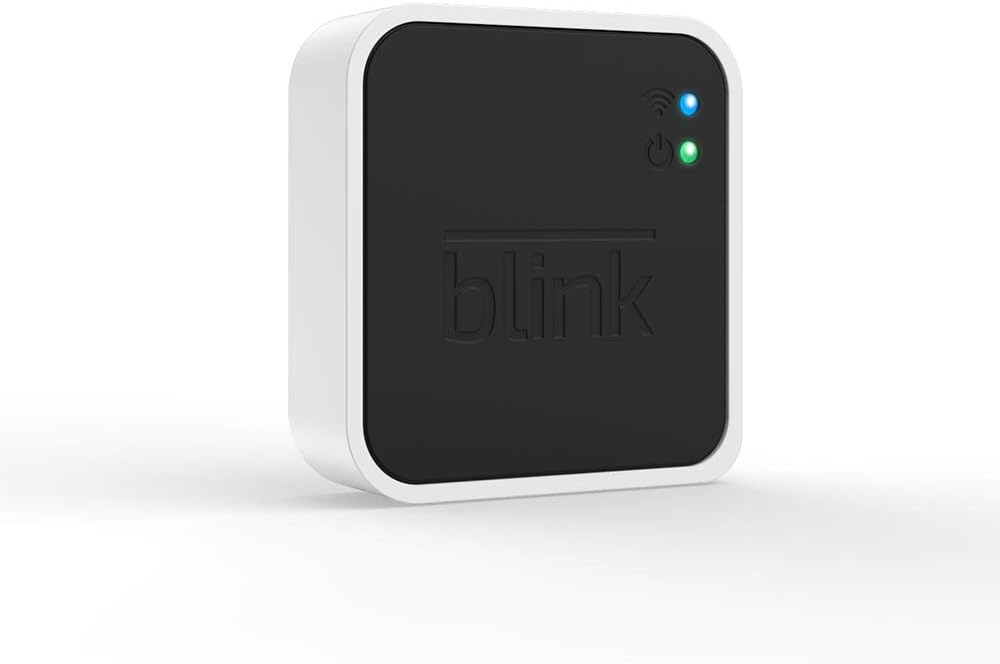
Add-On Sync Module 2
Product ID: 225102755
💾Supports up to 256GB local storage
📲Control & access via Blink Home Monitor app
🔗Connects up to 10 Blink devices
Buy anything from 5,000+ international stores. One checkout price. No surprise fees. Join 2M+ shoppers on Desertcart.
Desertcart purchases this item on your behalf and handles shipping, customs, and support to Grenada.
🔐 Unlock total Blink control and storage freedom—because your home deserves the best.
The Add-On Sync Module 2 enhances your Blink ecosystem by connecting up to 10 compatible Blink devices and enabling local video storage via USB flash drives up to 256GB. It offers seamless control through the Blink Home Monitor app, supports motion clip recording without monthly fees, and allows easy access to footage anytime, making it an essential upgrade for comprehensive, cost-effective home security.
S**I
simple to set up
I bought this as I had the standard sync module for my doorbell which meant I needed to subscribe. I wanted to be able to have the ability to save clips. It has a shorter wire and its a micro usb wire so couldn't just swap it out with the other sync module. Was easy to set up and stick a usb drive into. Can access my clips on the app and delete them as needed. remember to swap the storage in the app to local storage and format the usb drive and its as simple as that.
T**A
Product well made BUT not used, as my whole system had a problem!
BOUGHT FOR MY BLINK OUTDOOR SECURITY SYSTEM. UNFORTUNATELY WHOLE SYSTEM WOULDN'T WORK, SO NEVER USED.
R**F
Easy set up, works well
Bought for a Blink doorbell system rather than going on to subscription. Easy set up, and works well. Clips are a little slower to download, but not enough to be a problem. Recommended
A**T
Works fine - so long as you don't connect it to a Guest network
I bought this so video clips could be saved on a USB stick rather than needing to pay for a cloud subscription. In the end it all works fine, but getting it to work took a while. When I first set it all up I found that when I installed a USB stick into the Sync module, I stopped getting motion detection alerts sent to the Blink App and no clips were recorded on the USB stick. I contacted Blink support who suggested rebooting my router. This made no difference. They also suggested removing and re-inserting the USB stick. This made no difference. I'd already tried removing the camera and sync module from the Blink App and adding them again. I noticed that when testing things, if the camera detected motion the blue light flashed (showing it was recording a clip) but then a green light flashed for a while afterwards. After Googling around I saw people mentioning that if the green light on the camera flashes it's having problems communicating with the network, so figured the camera wasn't communicating with the Sync module. Then the penny dropped. I'd originally configured the camera to use a Guest network on my WIFI router and it was fine when used stand alone. On getting the Sync Module I set it to use the use the same Guest network. Devices on the Guest network aren't allowed to communicate directly with each other - they can only communicate with the Internet. However, when the camera tries to communicate with the Sync module to save video clips, it does so using the local network and not via the internet. This meant that the camera couldn't save clips to the USB stick in the Sync Module which also seems to have prevented motion detection notifications being sent to me. I reconfigured the camera and the sync module to use the main network instead of the guest network and now it all works. There is actually a blink support article titled "Possible Local Network Conflicts for Local Storage" that mentions this very problem ... search for "can blink sync module use guest network" to find it. It would have saved some head scratching and time if the Blink App had mentioned not to use a Guest network.
T**A
Great module.
Great module to use as local storage rather than paying for cloud storage. Works well. Easy to use. Great design. Great value for money.
V**I
When is a security system not a security system (update)
(update) After a lot of back and forth with Blink support originally telling me the 2nd sync module was out of warranty (it wasn't) so all they could suggest was to buy another one (er, no), they finally accepted it was still in warranty and strangely, after weeks of implying the problem was at my end they agreed that the logs showed a technical fault with the module. So they sent out a replacement - which when it arrived was actually a refurbished module. Sadly, that didn't work with exactly the same issue as previously. So its clear that Blink have a serious issue with the sync 2 module as evidenced by all the complaints with the same issue on various social platforms. I gave the Blink system my best shot but its time to throw in the towel - so have ordered another make from elsewhere and will bin my now redundant Blink system altogether. Its worth noting that with the 2 year warranty Amazon/Blink say that is also the expected life span of the sync 2 module. I did get 2 years out of it and i'm sure it would have been fine for longer, but as the sync module is integral to both the outdoor camera working at all and the doorbell working fully we''ll never know. When the outdoor cameras rely completely on the sync module. Had the sync module for just over 2 years. Occasionally 'drops out' but generally worked fine until last week, when it automatically 'updated' and stopped connecting to wifi/blink servers. Been dealing with Blink support every day for a week. While responsive, all they do is get you to go through the list of troubleshooting steps, repeatedly- which don't work. So you end up going round in circles. Had a 2nd spare sync module brand new out of the box (still under warranty) and got exactly same issue as with this one - both fail at the same point when connecting to Blink severs. Reinstalled the doorbell and indoor mini camera, which don't need the sync module, and they connect to the Blink servers fine. So its clear the issues lie with the sync module. Blink support wont accept its the sync module(s) and seem to have stopped responding. This is a well documented issue on the internet with many people having it and getting no joy from Blink. As I can't get a sync module to work that automatically renders my outside camera useless as it doesn't work without a functioning sync module. Buyer beware!
F**G
Good product
Good product
G**S
Nah
Used to be good. Had sync module, door bell and outdoor camera but recently stopped working. Door bell not catching movement. Videos missing. Local drive not showing. Spent ages trying to sort it out. Batteries out. Resetting. Formatting usb. Updating. Reinstalling app....multible times. Twice I spent ages on phone to customer care. First time couldnt solve it and just gave 1 month free cloud storage and said need new usb stick. ( which i tried but didnt help) and second time went through all the same steps for an hour to say must be wifi... which i know its not. So bought new sync module and even new blink door bell. Kinda works but new updates dont let you see thumbnails of recorded clips and registering of movement is slow. So had enough of this. Just been a waste of time and money. Returning it all. Dumping the old. May look for a new one different make or just get a camera and a normal door bell. I mean fudging do i really need to speak to everyone at my door i dont know or care about. No. Never had to before all this tech. Rant over. Either way save yourself the hassle.
Trustpilot
2 weeks ago
3 weeks ago